


Sierra Chart
Sierra Chart is a fast, technical futures platform for traders who value execution, order flow, data control, and customization over polish.
Review text updated September 13, 2026
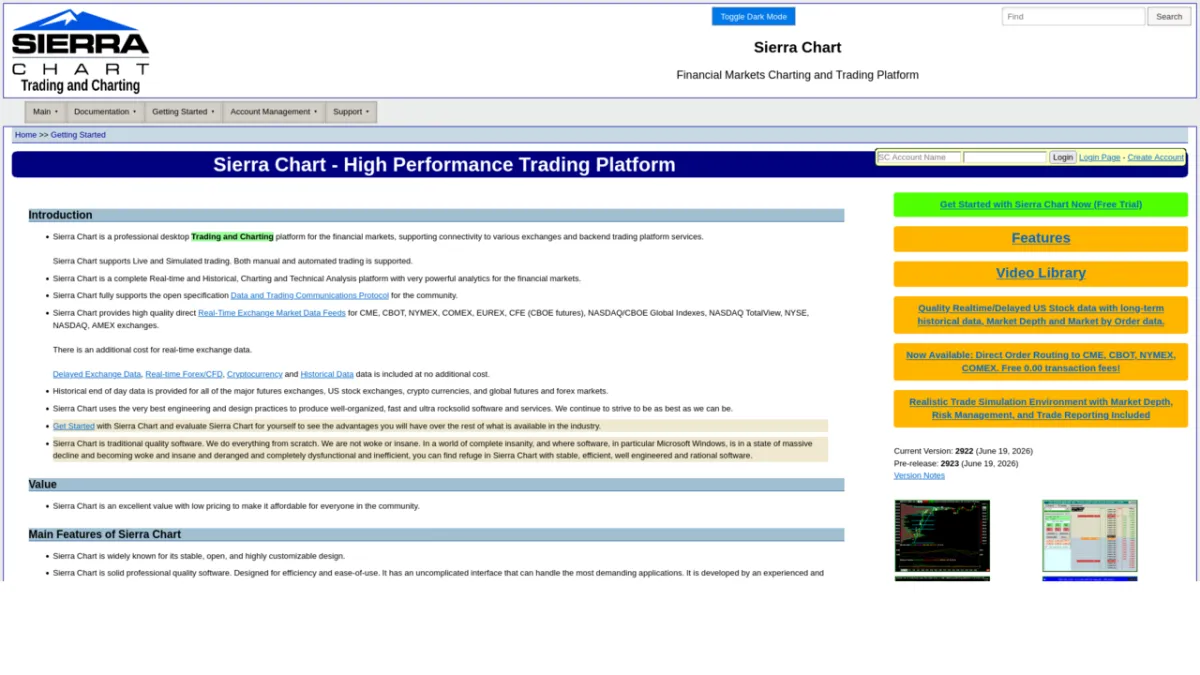
Review method: published documents. Text updates are separate from the dated profile evidence; current features and account terms have not all been reverified.
Scores
Overall3.9/ 5
- Charting4.8 / 5
- Execution4.6 / 5
- Ease of use2.8 / 5
- Mobile0.5 / 5
- Automation4.3 / 5
- Data quality4.6 / 5
- Value4.0 / 5
- Support3.2 / 5
Pros
- Very strong futures execution workflow with ChartDOM, trading DOM, brackets, OCO handling, hotkeys, and chart-based trading
- Deep order-flow analysis through Numbers Bars, TPO charts, market depth historical graph, volume profiles, and market-by-order data in the top package
- Fast native C++ desktop application with local data storage and extensive customization
- ACSIL gives advanced users a serious C++ route for custom studies and automated trading systems
- Denali and Teton give Sierra Chart its own data and routing stack while still allowing external services such as Rithmic, CQG, and Interactive Brokers where supported
- Subscription pricing starts low for a serious desktop platform
Cons
- Windows-first desktop software, with Mac and Linux relying on Wine/Crossover style workarounds
- No native mobile app or true web-platform parity
- Steep learning curve and dated interface make onboarding harder than web-first platforms
- The useful futures setup usually requires an Integrated package plus exchange data fees, so the real monthly cost is above the headline entry price
- Support is documentation-heavy and can feel blunt, especially for traders expecting broker-style hand-holding
- Prop-firm use depends on the firm's supported connection and permissions, so compatibility must be checked firm by firm
What is Sierra Chart
Sierra Chart is a long-running professional desktop trading and charting platform made by Sierra Chart, an independent software and market-data infrastructure company. Its own site describes it as a real-time and historical charting, technical-analysis, live-trading, simulated-trading, and automated-trading platform for financial markets, with direct market-data and order-routing services as well as external connectivity.
At a glance
Sierra Chart is one of the most capable platforms in the futures trader's toolkit if you care about DOM trading, order flow, market-depth history, and custom studies. It is also a platform that expects you to configure symbols, data feeds, routing, studies, and chartbooks properly. Traders who want a clean web app will fight it; traders who want a fast, deep Windows workstation will understand why it still has loyal users.
Markets, instruments, and who can use it
Sierra Chart supports futures, stocks, indexes, currencies and forex, options, CFDs, and crypto data or trading services depending on the broker, exchange feed, and service connection used. For the active futures reader, the main use case is CME-style futures through Denali data, Teton routing, Rithmic, CQG, or another supported service supplied by a broker or prop firm. Platform access is Windows desktop first. The official installer is a 64-bit desktop application; Mac and Linux users are pointed toward Wine, Crossover, or similar workarounds. If you need native iOS, Android, or browser trading as your primary interface, Sierra Chart is the wrong starting point.
Charting and analysis
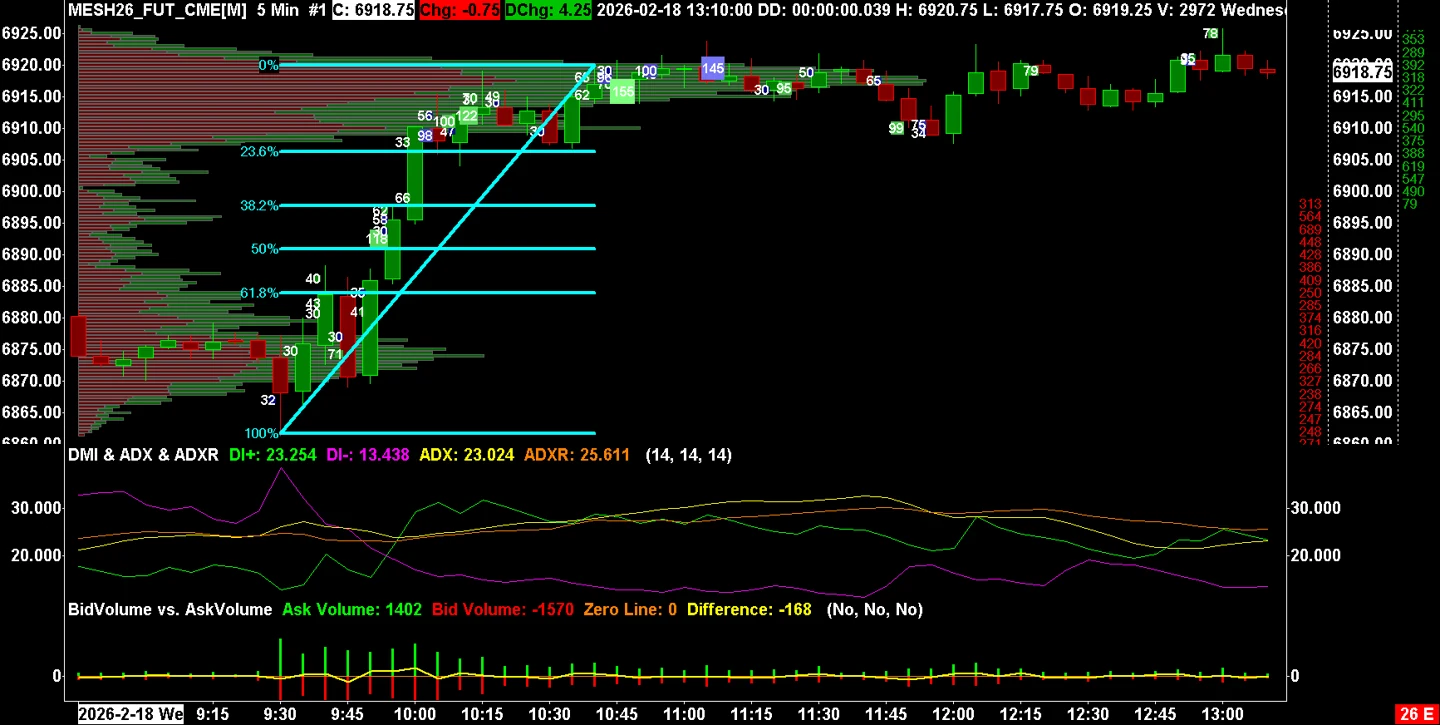
Charting is the reason many traders tolerate the interface. Sierra Chart supports real-time tick-by-tick charting, historical and intraday charts, local data storage, custom bar periods, seconds, minutes, volume, trades, range, Renko, reversal, delta, and other bar types. The order-flow set is broad: Numbers Bars, TPO charts, volume profiles, market depth historical graph, time and sales, and market-by-order features in the highest package. The drawing and study ecosystem is extensive, and serious users usually build chartbooks around their own workflow rather than use the platform as shipped.
Order execution and order flow
The execution workflow is built for desk trading. ChartDOM is Sierra Chart's chart-integrated depth-of-market ladder, while the Trading DOM is the classic price ladder used for fast order entry. Bracket orders and OCO orders, meaning linked orders where one fill cancels or adjusts another, are supported, and Sierra Chart says it uses server-side OCO and bracket functionality where the connected trading service provides it. That matters for futures traders because a local-only bracket is weaker if the workstation or connection fails. The platform also supports chart trading, hotkeys, attached orders, replay, simulation, and order-flow studies, so the execution screen can be made very fast once configured.
Automation and backtesting
Automation is handled mainly through ACSIL, the Advanced Custom Study Interface and Language. ACSIL is based on C++ and lets users write custom studies and trading systems with access to chart data, tick data, time and sales, bid and ask data, and market depth. Sierra Chart also supports spreadsheet-style systems for users who want a lighter route. The honest caveat is that power comes with responsibility: backtests and replays depend on the quality of recorded data, bid and ask assumptions, fill rules, and whether your logic survives live routing. The trade-simulation documentation is unusually explicit about fill mechanics and situations where simulated fills can diverge from live trading, which is useful precisely because it avoids pretending that replay is the same as exchange execution.
Data, feeds, and connectivity
Sierra Chart's data story is stronger than most charting platforms because it operates its own Denali Exchange Data Feed and Teton Futures Order Routing service. Denali covers real-time, historical, full market depth, and market-by-order data for major futures and equities exchanges, with exchange fees charged separately. Teton is a CME Group order-routing service through supported brokers and clearing firms, and it requires Denali for real-time data. Sierra Chart also documents external services including Rithmic, CQG, Interactive Brokers, and other data or trading connections. For a prop trader, the key practical point is that the firm often supplies the connection, login, and data entitlement. That can reduce or change what you pay Sierra Chart directly, but it also means the firm's connection rules decide whether your preferred setup works.
Sierra Chart's Base packages are useful for learning and some internal data services, but they do not connect to external data or trading services such as Interactive Brokers, CQG, or Rithmic, and they do not support Denali. Futures traders usually need an Integrated package. Exchange fees are separate. The pricing page also tells readers to check additional data expenses, and the supported-services page states that exchange fees are an extra cost for Denali.
An illustrative cost picture: a trader using CME futures with order-flow tools might choose the 46 USD/month Integrated Advanced package, then add the relevant exchange data fee and any broker, routing, or prop-firm fee. A trader who needs market-by-order data steps up to the 56 USD/month package, an extra 10 USD/month. There is no lifetime-license break-even calculation here because Sierra Chart's current public model is subscription usage time rather than a one-time lifetime license. The practical break-even is functional: pay the extra 10 USD/month only if market-by-order detail is part of the process you actually trade. Sierra Chart itself is platform and data infrastructure, so per-contract commissions usually come from the broker, clearing arrangement, or prop-firm program rather than from the Sierra Chart license.
Prop-firm compatibility
Sierra Chart can be prop-firm compatible, but it is rarely a one-click universal platform. The normal path is through the connection the firm supports, most often Rithmic or CQG, with Sierra Chart configured as the front end. Public prop-firm directories and platform pages list Apex Trader Funding as supporting Sierra Chart, and broader futures-platform coverage describes Rithmic as powering Sierra Chart access at many futures prop firms. In practice, check the firm's current dashboard before buying platform time, because firms change platform rosters and connection permissions. On BullTraders, start with prop-firm reviews and then verify the relevant firm review, especially Apex Trader Funding and any Rithmic-based futures evaluation firm you plan to use.
Mobile and cross-device
Sierra Chart is a desktop platform. There is no native mobile app with feature parity, and there is no TradingView-style browser workspace. Traders who need to monitor a funded account away from the desk usually use a VPS or remote-desktop setup, or they rely on the broker or prop-firm dashboard for basic account visibility. That is acceptable for a workstation futures trader, but it is a hard limitation for anyone who expects serious charting and order management on a phone.
Should you run it on a VPS
A funded futures account plus Sierra Chart is a classic VPS case if you trade from outside the exchange region, run automated systems, or want the platform online while your local machine is off. The platform itself is desktop software, so a Windows VPS can host Sierra Chart, the data connection, and any chartbooks or automated studies. Keep the VPS close to the broker or routing infrastructure and treat it as execution infrastructure, then compare providers through VPS reviews.
Who it suits
Sierra Chart suits the futures trader who values execution control, depth-of-market tools, historical market depth, custom chartbooks, and automation more than a polished onboarding flow. It also suits technically confident traders who are willing to read documentation and maintain their own setup. Budget traders should understand that the entry price is only the platform floor and that a useful futures setup often adds Integrated access plus exchange data. Traders on Mac, mobile-first traders, casual stock investors, and anyone who wants broker support to configure every detail should choose a simpler platform.
Our verdict
Sierra Chart remains a serious platform because it does the hard parts well: fast charts, DOM execution, order-flow analytics, direct data infrastructure, and C++ extensibility. Its weaknesses are also structural: Windows-first access, no native mobile, a dated interface, and a setup burden that can punish beginners. For an active futures prop trader who knows why Rithmic, CQG, Denali, market depth, and bracket-order handling matter, it belongs on the shortlist. For everyone else, the first test is tolerance for configuration.
FAQ
Is Sierra Chart good for futures trading?
Yes. Futures are the platform's natural home, especially for traders using DOM execution, order flow, Denali data, Teton routing, Rithmic, CQG, or a supported broker connection.
Does Sierra Chart work with prop firms?
Yes, where the prop firm supports the required connection. Apex Trader Funding is publicly listed by third-party prop-firm directories as supporting Sierra Chart, and many Rithmic-based firms can work through Sierra Chart if the firm's login and permissions allow it. Always verify inside the firm's current platform list before paying.
Is Sierra Chart available on Mac or mobile?
Sierra Chart is Windows desktop software. Mac and Linux users rely on Wine, Crossover, or remote Windows environments. There is no native mobile app with desktop parity.
What is ACSIL?
ACSIL means Advanced Custom Study Interface and Language. It is Sierra Chart's C++ based framework for custom indicators, studies, and automated trading systems.
What is the real monthly cost?
Add the software package, required exchange data and any charges from your broker, routing service or prop-firm connection. Sierra Chart's package and data-cost guide says an Integrated package is required for external connections or Denali, with real-time exchange data charged separately. The package price alone is therefore not a complete futures-trading budget. Choose the package for the features and connection you need, then check each separate service's current fee before subscribing.
Is Sierra Chart beginner friendly?
It is learnable, and the documentation is extensive, but it is less beginner friendly than web-first platforms. A competent trader can become productive, but the first setup phase is part of the cost.
Provider documentation
Sierra Chart official website contains the provider's product pages and legal terms. Match the account, plan and country before applying a rule or advertised price.
Provider pricing
Sierra Chart pricing and available products should be checked for the exact account or hosting configuration. Compare the full charge, billing period and optional services before purchase.