


cTrader
cTrader is a polished FX/CFD trading suite with strong charting, fast order tools, cloud cBots, and broad prop-firm support.
Review text updated September 13, 2026
Review method: published documents. Text updates are separate from the dated profile evidence; current features and account terms have not all been reverified.
Scores
Overall4.1/ 5
- Charting4.3 / 5
- Execution4.2 / 5
- Ease of use4.2 / 5
- Mobile4.4 / 5
- Automation4.4 / 5
- Data quality3.6 / 5
- Value4.0 / 5
- Support3.8 / 5
Pros
- Modern multi-device FX/CFD trading suite with Web, Windows, Mac, iOS and Android access
- Strong charting: tick, Renko, range and Heikin Ashi periods, 86 standard indicators, custom indicators, templates and multi-chart mode
- Fast trading workflow with Quick Trade, multiple order types, server-side protections, trailing stops, depth of market and detailed deal history
- C# and Python automation through cTrader Algo, with cBots, backtesting, optimisation and cloud execution
- Visible CFD-prop ecosystem, including cTrader's own directory of prop challenges and firms such as FTMO, The5ers, FundingPips and Alpha Capital
Cons
- It is primarily an FX/CFD platform, so CME futures prop traders will usually need NinjaTrader, Tradovate, Quantower, Sierra Chart, Rithmic or CQG instead
- Trader pricing is indirect because the visible platform download is free while real costs sit in broker spreads, commissions, swaps, prop-firm fees, marketplace products or firm rules
- Execution and data quality vary by broker or prop firm, which makes the platform harder to score as a single trading venue
- Mobile includes Trade and Copy, while full Algo development remains a desktop or web-first workflow
- C# is the mature automation path; Python support is promising but has a smaller and newer user footprint
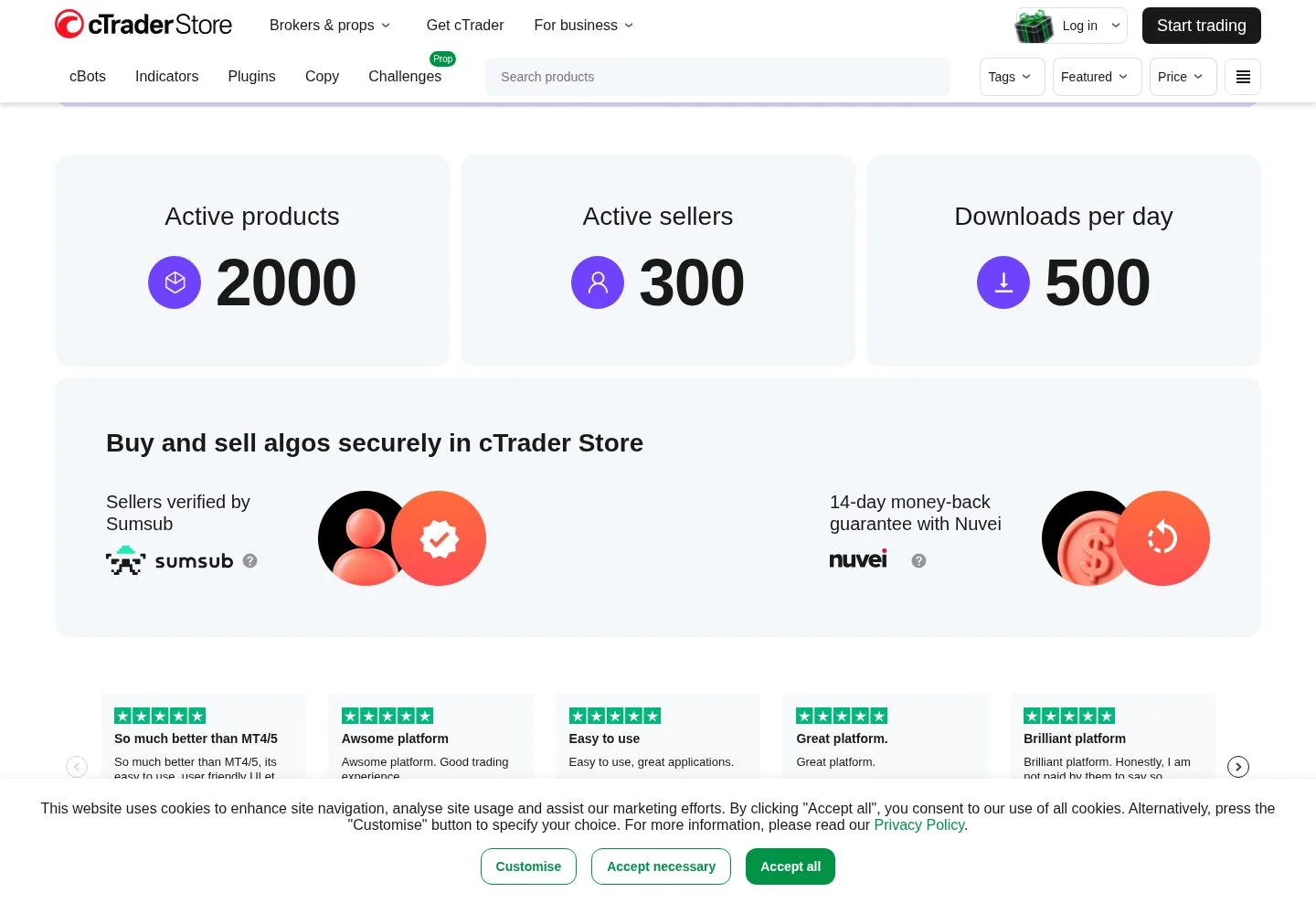
- The cTrader Store includes paid bots and indicators, so traders need to separate platform quality from third-party product claims
What is cTrader
cTrader is Spotware Systems Ltd's flagship FX and CFD trading platform, launched by a company established in Limassol, Cyprus in 2010. It is a full trading suite for brokers, prop firms, introducing brokers and traders, with desktop, web and mobile apps, charting, order entry, copy trading, marketplace products, and cTrader Algo for automated strategies.
At a glance
cTrader is one of the cleaner modern alternatives to MetaTrader for FX and CFD traders, especially where a broker or prop firm already offers it. The strongest case is the complete package: charting, fast order tools, mobile access, C# and Python automation, cloud cBots and a live prop-challenge ecosystem. The weak fit is equally clear: CME futures prop traders who need Rithmic, CQG, NinjaTrader, Tradovate, Sierra Chart or Quantower should treat cTrader as a different market lane.
Markets, instruments, and who can use it
cTrader is built around broker-connected FX and CFD trading. The exact tradeable instruments depend on the broker or prop firm, but typical coverage includes forex pairs, indices, commodities, metals, shares and crypto CFDs where permitted. Spotware also markets cTrader directly to prop firms and lists prop challenges inside the cTrader Store ecosystem.
Device access is broad. The official download page lists cTrader Web, Windows, Mac, Android, iOS, Amazon, APK, Huawei AppGallery and Samsung Galaxy Store versions. The mobile apps include Trade and Copy, while Algo is part of the web and desktop-oriented platform experience.
For BullTraders readers, the key gate is market structure. If your funded-account route is FTMO, The5ers, FundingPips, Alpha Capital or another CFD prop firm in the cTrader ecosystem, cTrader is directly relevant. If your funded-account route is CME futures through Apex, Topstep, Take Profit Trader or similar futures-first firms, cTrader is usually the wrong platform family.
Charting and analysis
Charting is one of cTrader's better arguments. Spotware lists six chart types: candlesticks, bars, line, dots, area and HLC. It also lists five period types: standard, tick, Renko, range and Heikin Ashi. That is a serious toolkit for discretionary FX and CFD traders because tick, range and Renko views let a trader look beyond clock-time candles.
The indicator base is also respectable. Spotware says cTrader includes 86 standard indicators and thousands of custom indicators, plus drawing tools, chart templates, personalised workspaces and multi-chart mode. This makes the platform viable as a primary analysis surface for many traders rather than a pure order-entry front end.
Where it is thinner for our core futures reader is specialist futures order-flow analysis. cTrader has depth of market, sentiment and fast order tools, but it is not the native home of the CME futures ecosystem, footprint-chart vendors, broker-side Rithmic and CQG workflows, and Sierra Chart-style data obsession.
Order execution and order flow
cTrader's execution workflow is designed for active trading rather than occasional investing. Spotware's trading-tools page lists market, limit, stop and stop-limit orders, Quick Trade buttons for trading directly from the chart, server-side stop loss and take profit protections, trailing protections, depth of market and detailed deal history.
Depth of market means the visible ladder of available bid and ask liquidity at different prices. In futures circles, traders often compare this with a SuperDOM or ladder-style order-entry window. cTrader gives traders a DOM-style workflow and one-click chart trading, which matters for scalpers who need order placement and risk controls close to the chart.
The caveat is venue dependency. cTrader is the terminal, while the broker or prop firm supplies the execution route, symbols, liquidity model and trading conditions. A clean cTrader interface cannot turn a weak broker feed into institutional-grade execution, and it cannot replace the native exchange-traded futures workflow that many CME prop traders require.
Automation and backtesting
cTrader Algo is a serious part of the platform rather than an afterthought. Spotware says traders can build automated products in C# and Python, run cBots in the cloud, optimise parameters, backtest on historical data and launch cBot files from mobile apps. C# is the mature path and the one with the deepest historical cTrader ecosystem. Python support makes the platform easier for traders who already research and prototype in the Python stack.
The honest read is that cTrader backtesting is useful, especially when brokers provide realistic spreads, fees and tick data, but it remains a model of execution rather than execution itself. Slippage, rejected orders, weekend gaps, broker-specific price streams, prop-firm symbol mappings and news conditions can all change live results. Treat the backtester as a filter for bad ideas and a tool for parameter discipline, then forward-test on the exact broker or prop connection before risking real capital or an evaluation fee.
Data, feeds, and connectivity
cTrader connectivity is broker and prop-firm led. Spotware supplies the platform and server technology, while the end trader logs into a broker or firm environment. That means real-time data, available symbols, commissions, spreads, swaps, execution settings and historical depth are all heavily dependent on the connected venue.
Spotware markets cTrader to prop firms with a price-feed product and says the platform is designed for scalable prop-firm use. Its prop-challenge directory shows firms operating inside the cTrader ecosystem, including FTMO, The5ers, FundingPips, Alpha Capital and The Trading Pit listings at the time checked. For a prop trader, this changes the cost math: the firm often bundles the platform access and data route inside the challenge or funded-account environment.
For exchange-traded futures, cTrader is the wrong benchmark. Futures traders tend to evaluate CQG, Rithmic, Tradovate, NinjaTrader, Quantower, Bookmap and Sierra Chart data behavior under fast markets. cTrader should be judged as an FX and CFD platform whose feed quality is only as good as the broker or prop implementation behind it.
Pricing decoded
The headline trader entry price is Free. The official cTrader download page lists Web launch and downloadable apps for Windows, Mac and mobile stores without stating a trader software license fee. That is the clean part.
The real cost picture sits elsewhere. A trader pays through the broker or prop firm: spreads, commissions, swap or financing, challenge fees, funded-account rules, inactivity terms if any, and paid third-party products from cTrader Store when chosen. Spotware's public product pages are business-to-business pages for brokers and prop firms, so broker-side licensing is not stated as a public retail trader price.
A worked example therefore looks different from a NinjaTrader license comparison. Suppose Trader A uses a cTrader demo or live account through a broker that offers the platform at Free, and Trader B uses the same broker and same cTrader platform at Free. The break-even month is immediate because there is no visible retail platform license to amortise. The meaningful comparison is then broker A versus broker B: spread, commission, swap, execution, slippage and data quality.
For a prop example, if a cTrader-compatible challenge costs $100 and another platform route costs $100 for the same nominal account size, cTrader's platform line item is again $0 in the trader-facing comparison. Any difference comes from the firm's evaluation rules, allowed instruments, spreads, commissions, payout terms and platform reliability. Those figures are illustrative; traders should calculate the real break-even from the exact broker or firm schedule they plan to use.
Prop-firm compatibility
cTrader is compatible with a large CFD prop-firm ecosystem. Spotware's own prop-challenge page says traders can browse challenges and funded programmes from firms operating directly in the cTrader ecosystem, and the page surfaced 40+ prop firms, 500+ active challenges and 500K+ prop traders in cTrader at the time checked. Listed firms included FTMO, The5ers, FundingPips, Alpha Capital, The Trading Pit, X FUNDED and others.
This is a direct platform fit for CFD prop accounts where the firm issues cTrader credentials or routes the trader into the cTrader environment. It is a poor fit for our exchange-traded futures lane where firms typically rely on Rithmic, CQG, Tradovate, NinjaTrader or similar futures infrastructure.
Check the specific firm’s current platform list before buying an evaluation. Our prop-firm reviews directory includes profiles for FTMO, The5ers, FundingPips, Alpha Capital Group and The Trading Pit; a mention here does not establish that every current account supports cTrader.
Mobile and cross-device
Mobile is a real strength. The official download page lists Android, iOS, Amazon, APK, Huawei AppGallery and Samsung Galaxy Store apps, plus Web, Windows and Mac. Spotware says cTrader availability spans iOS, Android, Windows, Mac and Web, with apps translated into 23 languages.
The mobile apps are best for monitoring, managing positions, chart checks, alerts, copy trading and lighter execution. A desk-bound active trader will still want desktop or web for full layout control, Algo work, multi-chart analysis and more deliberate order management. The cross-device identity and account model are useful, especially for prop traders who hold multiple challenges.
Should you run it on a VPS
A VPS is less automatic for cTrader than for older desktop-only workflows because cTrader Algo offers cloud cBot execution and the platform has web and mobile access. A VPS can still make sense if your broker setup, custom tooling, monitoring scripts or desktop-only workflow needs a stable always-on Windows or Linux environment. For more on hosted trading machines, see VPS reviews.
Who it suits
cTrader is for FX and CFD traders who want a modern interface, strong charts, fast chart-side trading, copy features, mobile access and an automation stack based on C# or Python. It is especially relevant for CFD prop traders whose firm already supports cTrader.
It is also for technically inclined traders who want to build cBots, test strategies, run cloud automation and use a platform with a cleaner programming model than older retail FX terminals. The Store ecosystem adds third-party bots and indicators, although that marketplace needs sceptical evaluation product by product.
It is a poor fit for exchange-traded futures traders who need the standard CME prop-firm toolchain, dedicated futures data feeds, order-flow specialist tools, or a broker connection built around Rithmic, CQG, Tradovate, NinjaTrader, Sierra Chart or Quantower. It is also a poor fit for investors seeking stocks, options or long-term portfolio tools through a regulated multi-asset brokerage account.
Our verdict
cTrader is a strong FX and CFD trading suite with a clear identity: modern interface, broad device access, solid charting, fast order tools and credible automation. It deserves attention from CFD prop traders because cTrader has become one of the main platform options after the industry moved away from older MetaTrader-heavy workflows.
The gating fact is market fit. For a trader evaluating FTMO, The5ers, FundingPips, Alpha Capital or another cTrader-enabled CFD prop firm, it can be a practical daily platform. For a CME futures prop trader, it is outside the main execution ecosystem and should sit below futures-native platforms in the shortlist.
FAQ
Is cTrader free for traders?
The headline trader entry price is Free. The official download page lists Web launch and desktop and mobile downloads without stating a retail platform license fee. Traders still pay broker or prop-firm costs such as spreads, commissions, swaps, challenge fees and paid third-party products if they choose them.
Does cTrader support futures?
cTrader is primarily an FX and CFD platform. Some brokers may offer instruments that reference indices, commodities or crypto as CFDs, but that is different from direct CME futures trading through a futures broker and data feed.
Which prop firms support cTrader?
Spotware's cTrader prop-challenge directory listed firms such as FTMO, The5ers, FundingPips, Alpha Capital, The Trading Pit and others at the time checked. Availability can change by country, account type and firm policy, so confirm the exact platform option before buying a challenge.
Can I automate strategies in cTrader?
Yes. cTrader Algo supports cBots and indicators, with C# as the mature language and Python also supported. Spotware also lists optimisation, historical-data backtesting, cloud hosting and mobile-launchable cBot files.
Is cTrader better than MetaTrader?
For many traders, cTrader feels cleaner and more modern, with stronger built-in charting and a friendlier C# automation path. MetaTrader still has a larger legacy ecosystem, more brokers in some regions and a huge third-party marketplace. The better choice depends on the broker or prop firm you actually plan to use.
Is cTrader suitable for an active futures prop trader?
It is suitable for CFD prop trading where the firm offers cTrader. It is a weak fit for active CME futures prop trading, where NinjaTrader, Tradovate, Quantower, Sierra Chart, Rithmic and CQG are usually the relevant platform and data stack.
Provider documentation
cTrader official website contains the provider's product pages and legal terms. Match the account, plan and country before applying a rule or advertised price.
Provider pricing
cTrader pricing and available products should be checked for the exact account or hosting configuration. Compare the full charge, billing period and optional services before purchase.