
Best Monitors for a Trading Setup
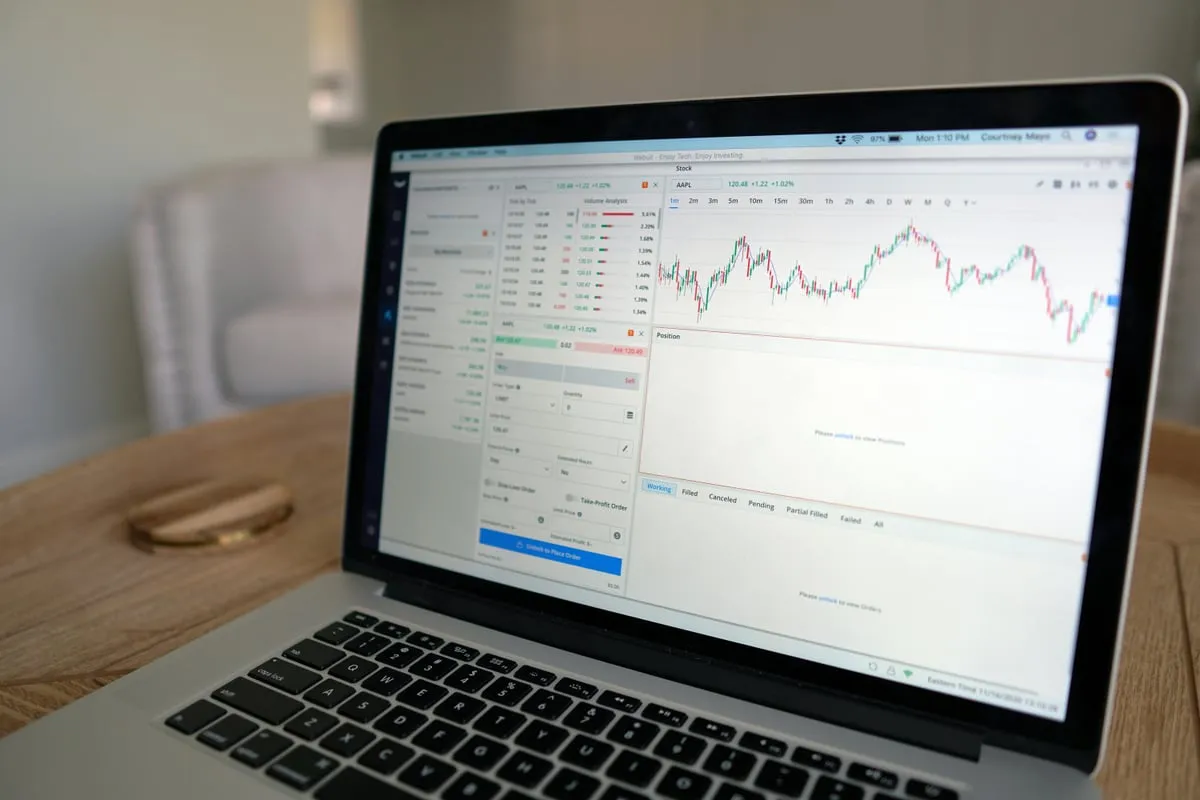
The best monitors for trading are 27-inch or 32-inch IPS panels running at 4K resolution. You want sharp text, accurate colors, and enough screen real estate to watch multiple charts, your order book, and news feeds without squinting. Most traders do well with two to four monitors, though the exact number depends on your strategy and how much data you need visible at once.
What Screen Size and Resolution to Choose
For a dedicated trading monitor setup, 27-inch 4K monitors hit the sweet spot. They pack enough pixels to display detailed candlestick charts and level II data clearly, without taking over your entire desk.
If you prefer bigger panels, 32-inch monitors at 4K work great too. Just make sure your desk can handle the width when you mount two or more side by side. Anything below 1440p resolution will feel cramped once you start splitting your screen into multiple chart windows.
IPS panels are the standard choice. They offer wide viewing angles, which matters when you glance at a side monitor from an angle. TN panels are cheaper but wash out colors at off-center views. VA panels land somewhere in between but can have slower response times.
How Many Monitors Do You Actually Need
A multi monitor trading desk sounds impressive, but more screens do not automatically make you a better trader. Here is a practical breakdown:
- Two monitors: Enough for most beginners. One for charts, one for your broker platform and news.
- Three monitors: A comfortable setup for active day trading. Dedicate one to charts, one to order flow or DOM, and one to scanners or news.
- Four or more: Only necessary if you trade multiple instruments simultaneously or run complex strategies across timeframes.
Start with two and add more only when you feel genuinely limited. A clean, organized layout on fewer screens beats a cluttered mess across six monitors.
Mounting and Ergonomics
Monitor arms are a must for any serious trading desk. They free up desk space, let you adjust height and tilt precisely, and keep cables manageable. A dual or quad VESA mount rated for your monitor weight will run you $50 to $150 and make a massive difference.
Position your primary monitor at eye level, roughly an arm’s length away. Side monitors should angle slightly inward so you can read them without turning your head too far. Your neck will thank you after a long session watching volatility spike during market open.
Budget Recommendations
You do not need to spend $800 per monitor. Here are realistic price ranges for quality trading displays:
- Budget ($200 to $300): Dell S2722QC or LG 27UL500. Solid 4K IPS panels that get the job done.
- Mid-range ($300 to $500): Dell U2723QE or LG 27UN850. Better color accuracy, USB-C connectivity, built-in KVM.
- Premium ($500+): Dell U3223QE or BenQ PD3220U. Top-tier for traders who also do design work or want a premium build.
For a complete trading computer setup, pair your monitors with a GPU that supports your total display count. Most modern GPUs handle three to four monitors without issue.
Key Takeaways
- 27-inch or 32-inch 4K IPS monitors are ideal for trading
- Two monitors are enough for most beginners; add more only when you feel limited
- Monitor arms dramatically improve desk space and ergonomics
- Budget options starting at $200 per screen deliver excellent results for trading
- Match your GPU to the number of monitors you plan to run
Frequently Asked Questions
Do I need a high refresh rate monitor for trading? No. A 60Hz refresh rate is perfectly fine for trading. High refresh rates (144Hz+) benefit gaming, not chart analysis. Save your money for resolution and panel quality instead.
Can I use a TV as a trading monitor? You can, but most TVs have higher input lag and lower pixel density than dedicated monitors. A 43-inch 4K TV works as an affordable ultra-wide alternative, but a proper monitor will give you sharper text.
Should I buy curved or flat monitors for trading? Flat monitors are easier to arrange in multi-screen setups. Curved monitors work well as a single large display but can create alignment issues when mounted side by side.
Risk Disclaimer: Trading involves substantial risk of loss. Past performance is not indicative of future results. See our full risk disclaimer.