
Bookmap Review
How the score is made
Execution3.5
The connectivity guide puts trading from the chart to a funded account in Global Plus or Global Premium, through connections such as Rithmic, Tradovate, CQG, TradeStation, Interactive Brokers and Gain Futures; Bookmap provides no brokerage, and its NinjaTrader connection gets no support.
Value2.7
The free Digital plan covers crypto and delayed US stocks and futures; Global, Global Plus and Global Premium are billed monthly, yearly or as a lifetime licence, chart trading to funded futures accounts starts at Global Plus, and the pricing page says live stocks and futures data is not included.
Charting4.0
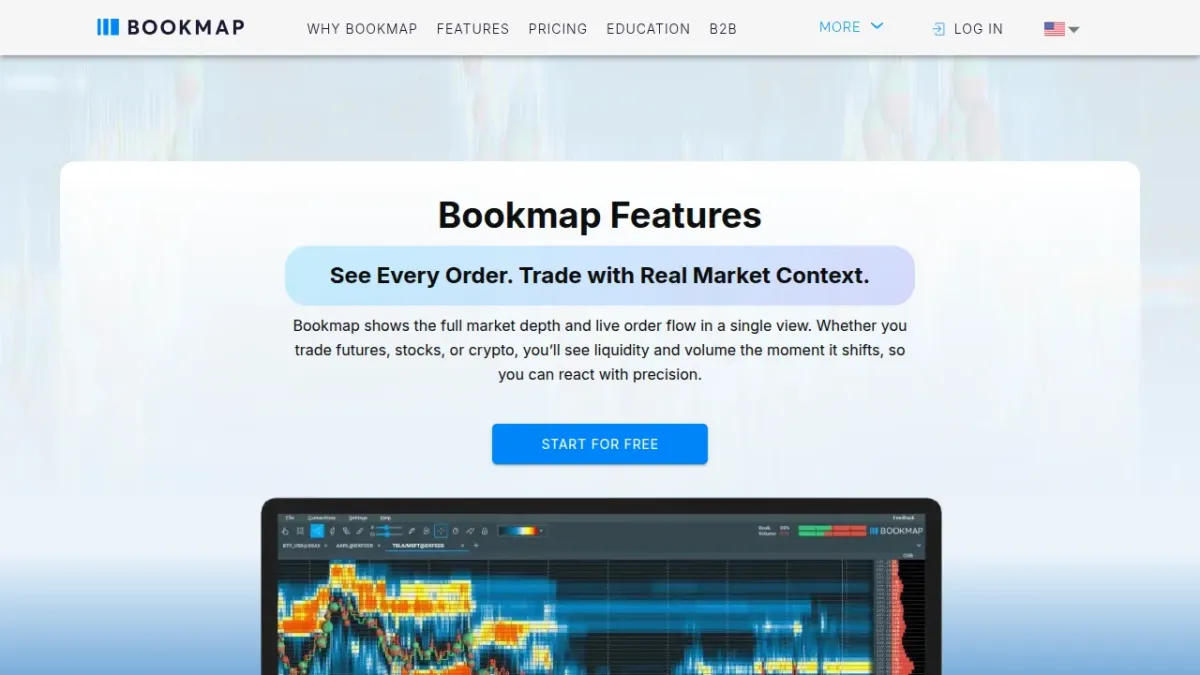
A liquidity heatmap of every resting limit order, volume bubbles of executed trades, best bid and offer, the current order book and nanosecond zoom; the features page gives built-in order flow tools to every plan, DOM Pro to Global Plus and Global Premium, and the MBO Bundle to Global Premium.
Automation3.0
The API serves custom indicators, adapters and automated strategies, but the knowledge base's sample strategies are for demonstration only and not for live trading; record and replay serves to backtest strategies with full market depth, and the pricing page lists price and volume alerts among the core features.
Data quality3.9
BookmapData brings CME futures with Market-by-Order and full depth and Nasdaq and Cboe EDGX stock depth from co-located servers, but its backfill is 72 hours on its page and 48 in the connectivity guide, dxFeed's stock depth omits ARCA and other ECNs, and Interactive Brokers currently has no full-depth futures.
Ease of use3.2
Bookmap runs on Windows, on macOS for Intel and Apple Silicon and, with limited support, on Linux, needs at least 8 GB of memory and runs on one computer at a time, though Global Plus and Global Premium allow a replay instance on a second machine.
Licensing and upselling2.5
Digital is free with crypto and delayed data, but live stocks and futures data and marketplace add-ons are separate subscriptions, a lifetime Global Premium licence includes Options Strike for the first year, a cancelled plan runs to its expiry, and no page states a refund policy.
Support3.8
Support works by e-mail, chat and a voicemail call-back number for technical issues, Monday to Friday in a European session from 09:00 to 18:00 CET and a US session from 09:00 am to 18:00 ET, with a knowledge base and a learning center of over 100 free videos.
Mobile0.5
Bookmap lists no phone or tablet app: its system requirements cover Windows, Mac and Linux, and the portal's download options are for Windows, Mac and Linux.
What it costs
- Plan
- Global (billed yearly)
- Purpose
- Charting and trading
- Billing
- Annual commitment (monthly equivalent)
- Runs on
- Windows, Mac, Linux (limited support)
- Trial
- Not verified
- Trading accounts
- Not verified
Compare with


The full review
In brief
Bookmap shows the order book as a liquidity heatmap for futures, stocks and crypto; stock and futures data cost extra; futures chart trading needs Global Plus.
Bookmap is a trading platform from Bookmap Limited of Nicosia, Cyprus, that shows the history of the limit order book as a liquidity heatmap, with executed volume as bubbles, for futures, stocks and crypto. It runs on Windows and macOS, and on Linux with limited support.
The free Digital plan covers crypto, one instrument at a time, and delayed US stocks and futures; Global, Global Plus and Global Premium add real-time stocks and futures. The pricing page says the plans do not include live stocks and futures data, and the connectivity guide puts trading from the chart to a funded futures account in Global Plus or Global Premium. Bookmap's pages state no refund policy, and its billing rules stand in FAQ answers.
Who can use it
The knowledge base says that to install and use Bookmap you need a subscription to one of its packages, which can be the free Digital plan; registering gives you a licence key, and anyone with the key and a copy of Bookmap can use it. The knowledge base says Bookmap runs on any computer that meets the requirements but not on several at once, except that Global Plus and Global Premium allow a second machine in replay mode.
On Windows it needs at least 64-bit Windows 8, 8 GB of memory, 10 GB of free disk space and a 5 Mbit/s connection, and the system requirements recommend 32 GB of memory for heavy use with MBO or high-resolution full-depth data. On macOS the system requirements ask for macOS 11 and 8 GB, offer versions for Intel and Apple Silicon and list the Stage5, Gain, Ninja and XTrader adapters as not supported. Bookmap lists no phone or tablet app.
Safety and trust
The privacy policy names Bookmap Limited, 1 Lampousas Street, 1095 Nicosia, Cyprus, as owner, and the support page writes Bookmap, LTD at the same address. The disclaimer, which asks visitors to read "these terms" before using the site, names VeloxPro: it says VeloxPro will not accept liability for losses from using the website or the Bookmap software, and that VeloxPro and BookMap are not data providers and not responsible for executing orders. The BookmapData page, by contrast, calls Bookmap a direct data provider.
Bookmap does not provide brokerage services: orders go to your broker, and the disclaimer tells you to take the record of your orders, positions and P&L from your broker.
Trading conditions
The BookmapData page names Rithmic, Tradovate, CQG, TradeStation, Interactive Brokers and Gain Futures among the connections you can trade through, and Bookmap connects directly to crypto exchanges such as Binance, OKX and Bybit, some for market data only. The connectivity guide calls the NinjaTrader connection not recommended and says Bookmap gives it no support or fixes.
You trade from the chart or the DOM with one-click market and limit orders, and you can watch orders placed on another platform that is connected to the same account. The connectivity guide puts trading from the chart to a funded futures account, and orders to TradeStation or Interactive Brokers for stocks, in Global Plus or Global Premium, and the BookmapData page says to choose Global Plus or Global Premium to trade from the chart.
Cross trading takes data from one source and sends orders through another account, for example dxFeed or BookmapData stock data with orders to TradeStation or Interactive Brokers. The connectivity guide says Plus500 can serve as broker or for order routing, with Level 2 data included for eligible non-professional users, and a Global or Global+ subscription is still required.
For futures, the pricing page recommends BookmapData, Rithmic and dxFeed as full-depth providers. BookmapData brings CME, CBOT, NYMEX and COMEX futures with Market-by-Order and full depth, and Nasdaq TotalView and Cboe EDGX for stocks without MBO, and its page says it works with any paid plan but not with Digital. The BookmapData page and the pricing page give it up to 72 hours of backfill, while the connectivity guide gives 48 hours for BookmapData CME and for the top 200 Nasdaq instruments, and up to 24 hours for all futures connections. The BookmapData page counts over 13,000 Nasdaq stocks and ETFs, the connectivity guide over 5,000.
The connectivity guide also says that dxFeed's stock depth leaves out ARCA and other ECNs, that Interactive Brokers does not currently offer full-depth futures data, and that most NinjaTrader feeds lack full depth. Crypto data subscriptions are free.
Plans and cost
The pricing page offers four plans, Digital (free), Global, Global Plus and Global Premium, and bills the paid plans monthly, yearly or as a lifetime licence. The knowledge base says Digital displays one instrument at a time, Global 10 symbols, and Global Plus and Global Premium 20 each. DOM Pro needs Global Plus or Global Premium, and Global Premium adds the MBO Bundle and Options Strike, which plots SPX options gamma levels.
The pricing page says live stocks and futures data is not included and can be bought after you subscribe to a Bookmap plan, and the BookmapData page excludes the free Digital plan; BookmapData renews monthly after the first month. The pricing page says MBO add-ons need a Market-by-Order feed such as BookmapData CME or Rithmic MBO, while the BookmapData page and the connectivity guide say that the MBO Bundle's Liquidity Tracker Pro, Tradermap Pro and Market Pulse Algorithms support Nasdaq data, for which MBO is not available, and only the Stops & Icebergs Tracker does not. The pricing page includes Options Strike in a lifetime Global Premium licence for the first year.
The knowledge base says you cancel a plan on your account page and a marketplace add-on with the Cancel button next to it, that cancelling stops the auto renewal so access lasts until the expiration date, and that moving from Global Plus to Global Premium costs the prorated difference. The FAQ page says a subscription you quit early is charged for the full period and cannot be prorated. Bookmap's pages state no refund policy.
Pros and cons
For
- A liquidity heatmap of the order book's history, with executed volume as bubbles.
- BookmapData offers CME futures with Market-by-Order data and full depth.
- Versions for Windows, for macOS on Intel and Apple Silicon, and for Linux with limited support.
Against
- Live stocks and futures data is not included in the plans, and chart trading to a funded futures account needs Global Plus or Global Premium.
- No phone or tablet app.
- No published refund policy, and pages that disagree on backfill, on the feed MBO add-ons need and on whether Bookmap is a data provider.
Who it suits
Bookmap suits a short-term futures trader who reads the order book and executed volume, takes Global Plus or Global Premium and connects a full-depth feed such as BookmapData, Rithmic or dxFeed.
It does not suit a trader who needs a phone app, who wants live futures data or chart trading on the free plan, or who wants written refund terms before paying.
Verdict
Our BT Score for Bookmap is fair. The liquidity heatmap, Market-by-Order data through BookmapData and versions for three desktop systems are real strengths. Against them stand stock and futures data and add-ons billed apart from the plan, chart trading to funded futures accounts only from Global Plus, sample strategies for demonstration only, no phone or tablet app, no published refund policy, and pages that disagree on backfill, on the feed MBO add-ons need and on whether Bookmap is a data provider.
FAQ
Is Bookmap free?
The Digital plan is free: it covers crypto, one instrument at a time, and delayed US stocks and futures.
Does Bookmap include market data?
Not for stocks and futures: the pricing page says live data is not included and can be bought after you subscribe to a plan. Crypto data subscriptions are free.
Which plan do I need to trade futures from the chart?
Global Plus or Global Premium, according to the connectivity guide and the BookmapData page.
Can I get a refund?
Bookmap's pages state no refund policy. The FAQ page says a subscription you quit early is charged for the full period.
Sources
- bookmap.com/knowledgebase/docs/KB-IntroductionToBookmap-Connectivity
- bookmap.com/en/packages-comparison
- bookmap.com/en/features
- bookmap.com/knowledgebase/docs/KB-Automated-Strategies
- bookmap.com/en/bmdata
- bookmap.com/knowledgebase/docs/KB-IntroductionToBookmap-SystemRequirements
- bookmap.com/support/
- bookmap.com/knowledgebase/docs/KB-GettingStarted-SubscribeDownload