


tastytrade
tastytrade is an options-first broker platform with stocks, futures, crypto, desktop, web, mobile and API access, but weak prop-firm fit.
Review text updated September 13, 2026
Review method: published documents. Text updates are separate from the dated profile evidence; current features and account terms have not all been reverified.
Scores
Overall3.5/ 5
- Charting3.6 / 5
- Execution3.4 / 5
- Ease of use3.6 / 5
- Mobile4.0 / 5
- Automation2.8 / 5
- Data quality3.7 / 5
- Value3.8 / 5
- Support3.5 / 5
Pros
- No platform subscription on the headline pricing page, with transparent listed commissions by product
- Desktop, web and mobile apps cover the main access patterns for a retail broker account
- Options-first interface, probability analysis and tastylive education are genuinely differentiated
- Official API supports sandbox testing, live data access and programmatic order management
- Trades stocks, ETFs, options, futures, futures options and crypto from one broker relationship
Cons
- Poor fit for futures prop-firm challenges because major evaluation firms generally route through NinjaTrader, Tradovate, TradingView, Rithmic or CQG-style connections instead
- Futures day traders who need deep DOM, footprint, replay and advanced order-flow tooling will find specialist platforms stronger
- No native strategy scripting environment comparable to NinjaScript, EasyLanguage or Pine Script
- Futures commissions plus exchange, clearing and regulatory fees still matter even though the platform itself is free
What is tastytrade
tastytrade is a US broker platform from tastytrade, Inc., the company formerly known as tastyworks and now owned by IG Group after its acquisition closed in 2021. It is a broker-owned trading platform for self-directed traders, strongest in listed options, with access to stocks, ETFs, options, futures, futures options and crypto from desktop, web and mobile. The company lists tastytrade, Inc. as a FINRA, SIPC and NFA member, while noting that futures and crypto accounts have different protections from securities accounts.
At a glance
tastytrade is worth a look if your trading starts with options and you want futures as an adjacent market inside the same broker platform. It is less convincing as the main workstation for an active funded futures trader, because prop-firm support and specialist order-flow tooling are the weak points. The platform itself is free, but the real bill is in commissions, exchange fees, data and the fact that your funded-account firm probably will not route through it.
Markets, instruments, and who can use it
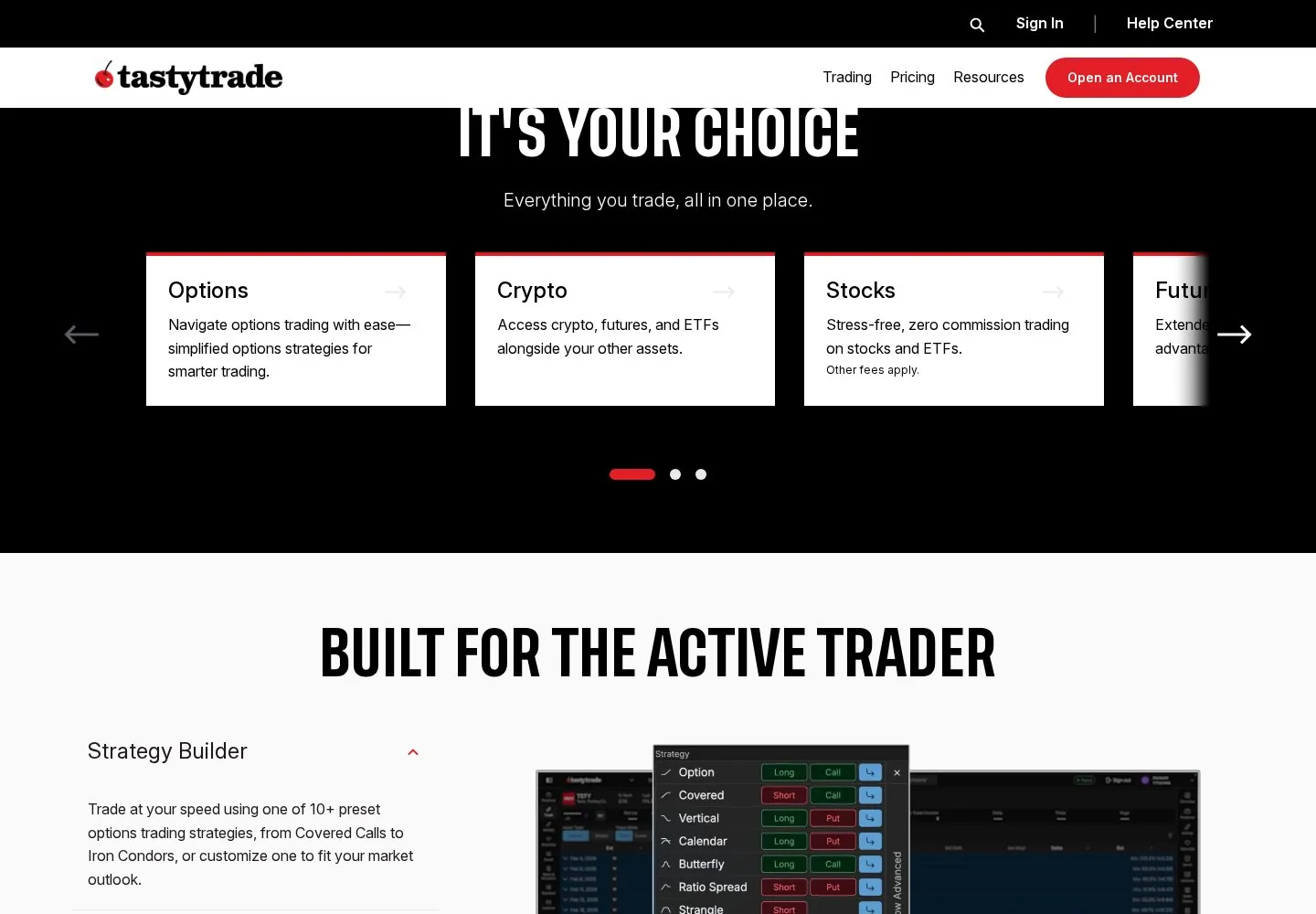
tastytrade supports stocks, ETFs, fractional shares, stock and ETF options, broad-based index options, futures, micro futures, futures options, micro futures options and crypto, according to its pricing table and risk disclosures. Access is broad: the platform overview presents desktop, web and mobile as first-party choices, and the developer site adds an API for accounts, orders and market data. If you need spot forex, a prop-firm evaluation login, or an institutional-style futures workstation built around footprint charts and external data feeds, tastytrade is outside its best lane.
Charting and analysis
The desktop platform page describes pro-level charting with real-time insights, while the broader platform page promotes TradingView integration for traders who want stronger charting and analysis tools. In practice, that makes tastytrade a capable broker charting environment rather than a full specialist charting terminal. Options traders get the more distinctive toolkit: probability, volatility and risk-analysis views are central to the product. Futures traders get usable charts and a ladder, but the public materials do not show the same depth of custom study ecosystem, market-profile tooling, footprint studies, or replay workflow that a Sierra Chart or NinjaTrader user expects.
Order execution and order flow
The relevant futures feature is the ladder, tastytrade's depth of market trading interface. Depth of market means the bid and ask liquidity around the current price, and the desktop page calls the ladder a customizable interface for futures and equity traders who move fast. That is a meaningful execution tool for a broker platform. It also supports the options workflow that tastytrade is known for: multi-leg strategies, risk displays and order handling designed around defined-risk positions. The limitation is the order-flow ceiling. Public material does not establish footprint charts, volume-at-price analytics, replayable order-flow training, or a mature SuperDOM-style ecosystem. For an options trader who occasionally trades futures, the execution workflow is credible. For a funded futures scalper living in the DOM, it is a compromise.
Automation and backtesting
tastytrade has an official API, which is the main automation story. The API page says developers can read balances, positions, open orders, transaction history, real-time quotes and option chains, and can submit, modify or cancel equity, crypto, options or futures orders. The developer documentation also provides sandbox and production environments, with the sandbox designed for fake test activity before live trading. That is useful for building dashboards, order tools and broker integrations. It is less useful as a full strategy-development suite. There is no native scripting language comparable to NinjaScript, Pine Script or EasyLanguage in the public platform pages, and no evidence of a serious integrated backtester with tick replay, slippage modelling and exchange-fee simulation. Treat the API as execution and integration infrastructure, then test strategies in a separate research stack.
Data, feeds, and connectivity
tastytrade's public data story is broker-centric. The platform overview says NASDAQ provides real-time US equities and ETF data, and the developer documentation says production quotes are real-time while sandbox quotes are delayed. The status page breaks out equities, options, futures, cryptocurrency and quotes as separate monitored systems, which is useful transparency. For prop traders, the key difference is connectivity: many funded futures firms supply a Rithmic, Tradovate, NinjaTrader, CQG or TradingView-style login, and the trader then chooses the supported front end. tastytrade is its own broker platform, not a generic front end for those prop connections. That makes the data cost picture cleaner for a personal brokerage account and much less relevant for an evaluation account.
Pricing decoded
tastytrade's headline starting price is Free. The pricing page says there are no subscriptions, then lists commissions by product. The same page says applicable exchange, clearing and regulatory fees still apply to all opening and closing trades, except crypto.
Here is the honest break-even example. Because tastytrade does not charge a platform subscription, there is no licence break-even month to recover. The break-even question shifts to whether another broker or prop-firm platform has lower per-contract costs, whether it charges a fixed platform fee, and whether its execution tools save enough mistakes to justify the different stack.
Prop-firm compatibility
tastytrade is a poor fit for the funded-futures accounts covered at prop-firm reviews. I found no credible support path showing direct tastytrade use at the major futures evaluation firms our readers usually compare, including Apex Trader Funding, Topstep, Bulenox and Take Profit Trader. Those firms typically route traders through their own dashboards and supported platforms such as NinjaTrader, Tradovate, TradingView, Quantower, Rithmic or CQG-connected front ends, depending on the firm and account type. For that reason, tastytrade should be treated as a personal brokerage platform rather than a funded-account front end. If you are comparing prop accounts, start with prop-firm reviews, then read the specific firm reviews before choosing the platform.
Mobile and cross-device
Cross-device coverage is a real strength. tastytrade presents desktop, web and mobile as official platform options, and the user workflow is built around a broker account rather than a single installed workstation. Mobile is useful for monitoring positions, adjusting options trades and handling account-level work away from the desk. It is less suitable for the fastest futures scalping decisions, where screen space, ladder precision, hotkeys and multi-chart context still favour the desktop. The mobile app is a strong companion, not the ideal primary cockpit for fast futures execution.
Should you run it on a VPS
A VPS is usually valuable when your trading platform must stay online, close to a broker or exchange gateway, and protected from home internet outages. tastytrade's web and mobile access reduce that need for ordinary account monitoring, while the desktop platform can still benefit from a stable remote Windows machine if you run it all session and rely on alerts, ladders or API-adjacent tools. For funded futures traders, the VPS decision usually belongs to the prop-firm platform stack rather than tastytrade. See VPS reviews for the broader futures-platform VPS guide.
Who it suits
tastytrade is for options-led active traders who value probability tools, education, simple broker pricing and access from desktop, web and mobile. It also suits a self-directed trader who occasionally trades futures or futures options and wants those markets in the same account. It is a weaker choice for a pure futures scalper, an order-flow specialist, a trader who wants a mature native scripting and backtesting language, or anyone choosing software for an Apex, Topstep, Bulenox or Take Profit Trader evaluation. If the funded account is the trade, choose the platform your firm actually supports first.
Our verdict
tastytrade is a polished, options-first broker platform that happens to include futures. That is its strength and its constraint. The free platform headline is attractive, the API is real, and the cross-device coverage is better than many futures-only tools. The cost is specialization: futures execution is credible but less deep than a dedicated order-flow platform, automation requires external development, and prop-firm compatibility is the decisive weakness for our core reader. Use tastytrade for personal brokerage trading, especially options. Choose a prop-supported futures platform for funded-account work.
FAQ
Is tastytrade free to use?
Yes. tastytrade's pricing page says there are no subscriptions, and the headline starting price for the platform is Free. Commissions, exchange fees, clearing fees and regulatory fees can still apply to trades.
Can I trade futures on tastytrade?
Yes. tastytrade lists futures, micro futures, options on futures and options on micro futures in its pricing table. Futures accounts are treated differently from securities accounts in the platform disclosures.
Does tastytrade work with futures prop firms?
I found no credible direct support path for the major futures evaluation firms our readers usually cover, including Apex Trader Funding, Topstep, Bulenox and Take Profit Trader. Treat it as a broker account platform, not a funded-account front end.
Does tastytrade have automated trading?
It has an official API with sandbox and production environments, order submission, account data and market-data access. It does not present a native strategy scripting and backtesting environment like the specialist trading-platform ecosystems.
Is tastytrade best for futures or options?
Options. The product's clearest edge is options workflow, probability analysis and education, with futures as an available market rather than the platform's deepest specialty.
Can I use tastytrade on mobile?
Yes. tastytrade presents desktop, web and mobile as official platform choices. Mobile is best for monitoring and managing trades, while fast futures execution still belongs on desktop.
Provider documentation
tastytrade official website contains the provider's product pages and legal terms. Match the account, plan and country before applying a rule or advertised price.
Provider pricing
tastytrade pricing and available products should be checked for the exact account or hosting configuration. Compare the full charge, billing period and optional services before purchase.